
How the proxy chain works
System proxy is the local proxy. The node is the IP sites see. Traffic is encrypted, so the local proxy cannot read store data.
When a store window opens a site, traffic goes through a local proxy on this computer, then out through the node. The site sees the node's IP. The local-proxy network cannot read that encrypted traffic, so it does not expose the store account, password, or page contents.
The default local proxy is System proxy. If this computer is slow reaching the node, turn on system proxy in your third-party app so that proxy sits in front of the node. See Add a node.
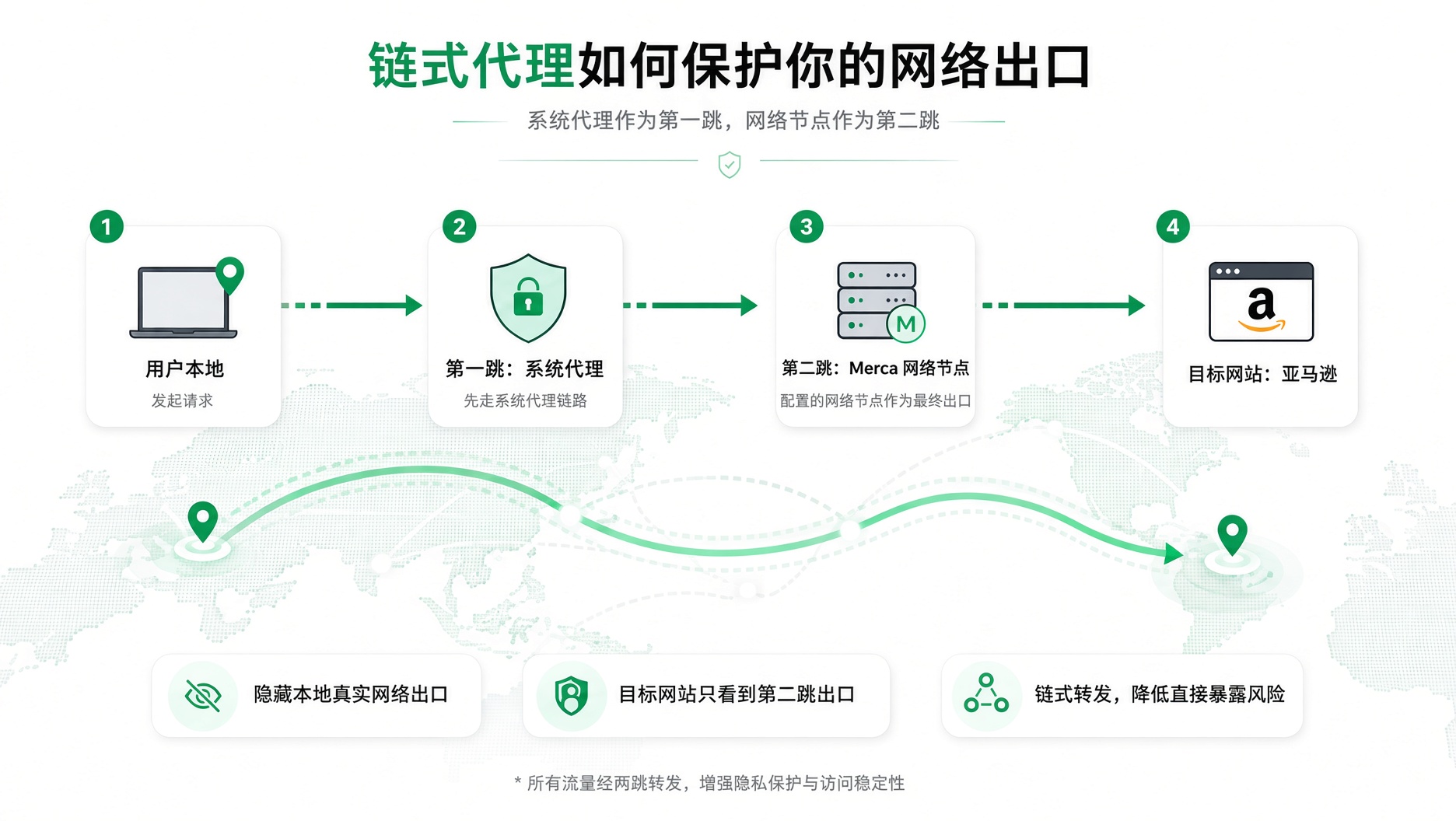
How traffic flows
- This computer: the store window sends the request.
- Local proxy: system proxy: traffic goes through this computer's system proxy first. You can switch to Custom, or Off.
- The node: the store's node is the IP the site sees.
- The site: Amazon, for example. The site sees the node's IP, not this computer's real network.
Encryption keeps the local proxy from leaking data
Sites opened in the store window use an encrypted connection. The account, password, orders, and seller pages are encrypted before they leave this computer.
The local proxy only forwards that encrypted traffic to the node. The network on the local proxy — third-party software on this computer, an office network, or public Wi-Fi — cannot read it, so it does not leak store data.
Sites see the node's IP, not this computer's broadband. The local proxy is there so this computer can reach the node. It does not change the store's public IP. If system proxy breaks, see Will a broken system proxy expose the local network.
Where to set it
In the desktop app, open Settings and choose the local proxy under Proxy chain. This isn't available on the website. It applies only to this computer, and to every store you launch here. The node connection stays unchanged.
- System proxy: use the system proxy from your third-party app as the local proxy. This is the default.
- Custom: enter the local-proxy protocol, host, and port. Username and password are optional.
- Off: skip the local proxy. The store window connects to the node directly.
Close the store window and Launch again to use the new chain.
When you add or edit a node, Use proxy chain is on by default. Turn it off, and checks and launches for that node use only the node — they skip this computer's proxy chain.