
How to add a platform sub-account
Use an Amazon sub-account as a separate store, share the main account's node, and allow it once.
Some platforms let one main account have multiple sub-accounts. For Amazon, a sub-account should usually use the same node as the main account, so Amazon sees the same network environment.
Merca protects each node by default: on one IP, each platform allows only one login. A sub-account belongs to the same Amazon account setup, but its login name is different, so the first launch is blocked. After you confirm it is a real sub-account under the same main account, allow it from the node's Account records.
Before you start, make sure the main account already has a node. This example uses main account merca_amazon_gs_01@outlook.com and Amazon sub-account merca_amazon_gs_sub_01@outlook.com.
Add the sub-account as a store
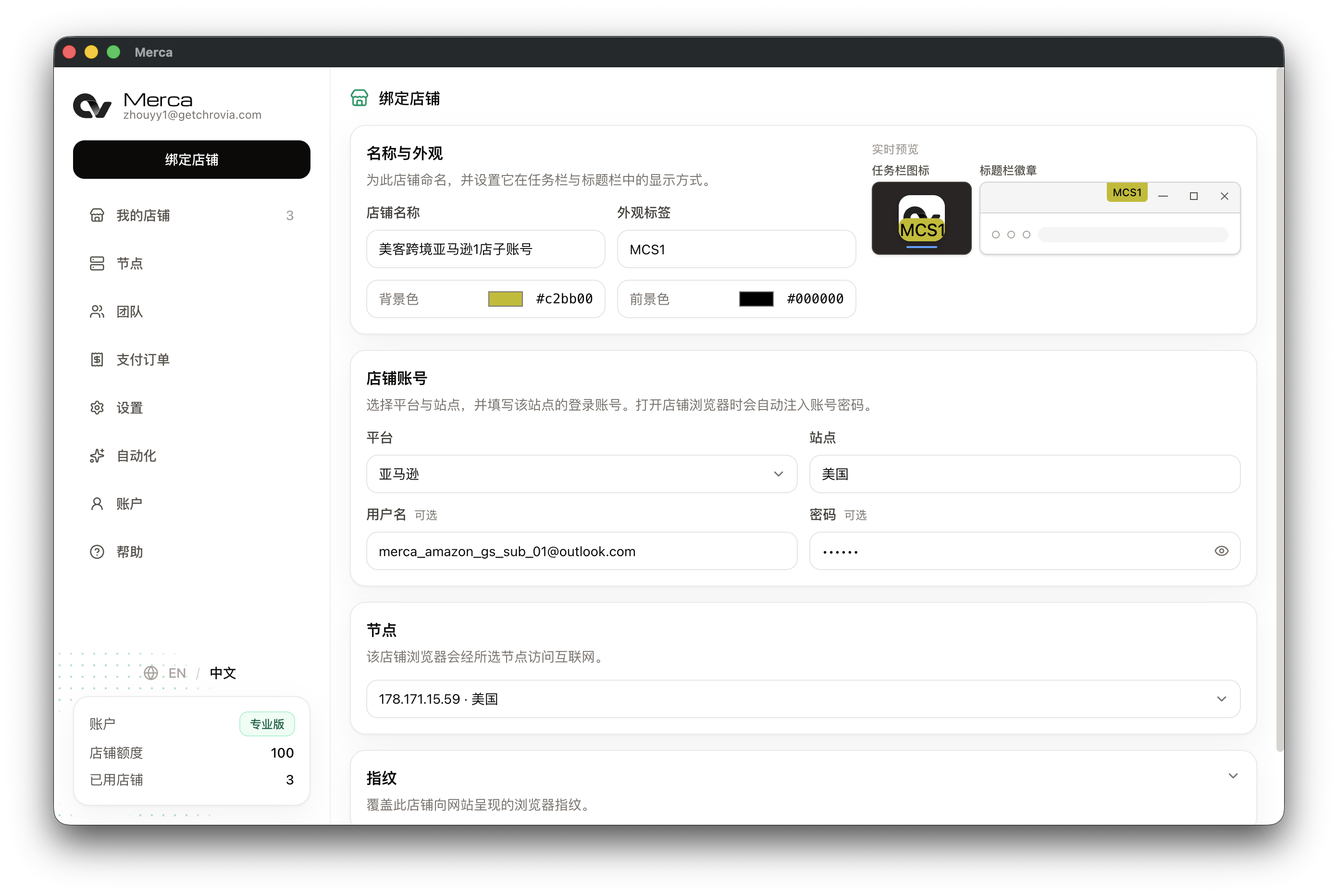
- Open My stores and click Add store.
- Set Platform to Amazon, then choose the site this sub-account uses.
- Enter the Amazon sub-account in Username and Password.
- For Node, choose the same node used by the main account.
This saves the sub-account as a separate store, while keeping it on the same node as the main account.
The first launch is blocked
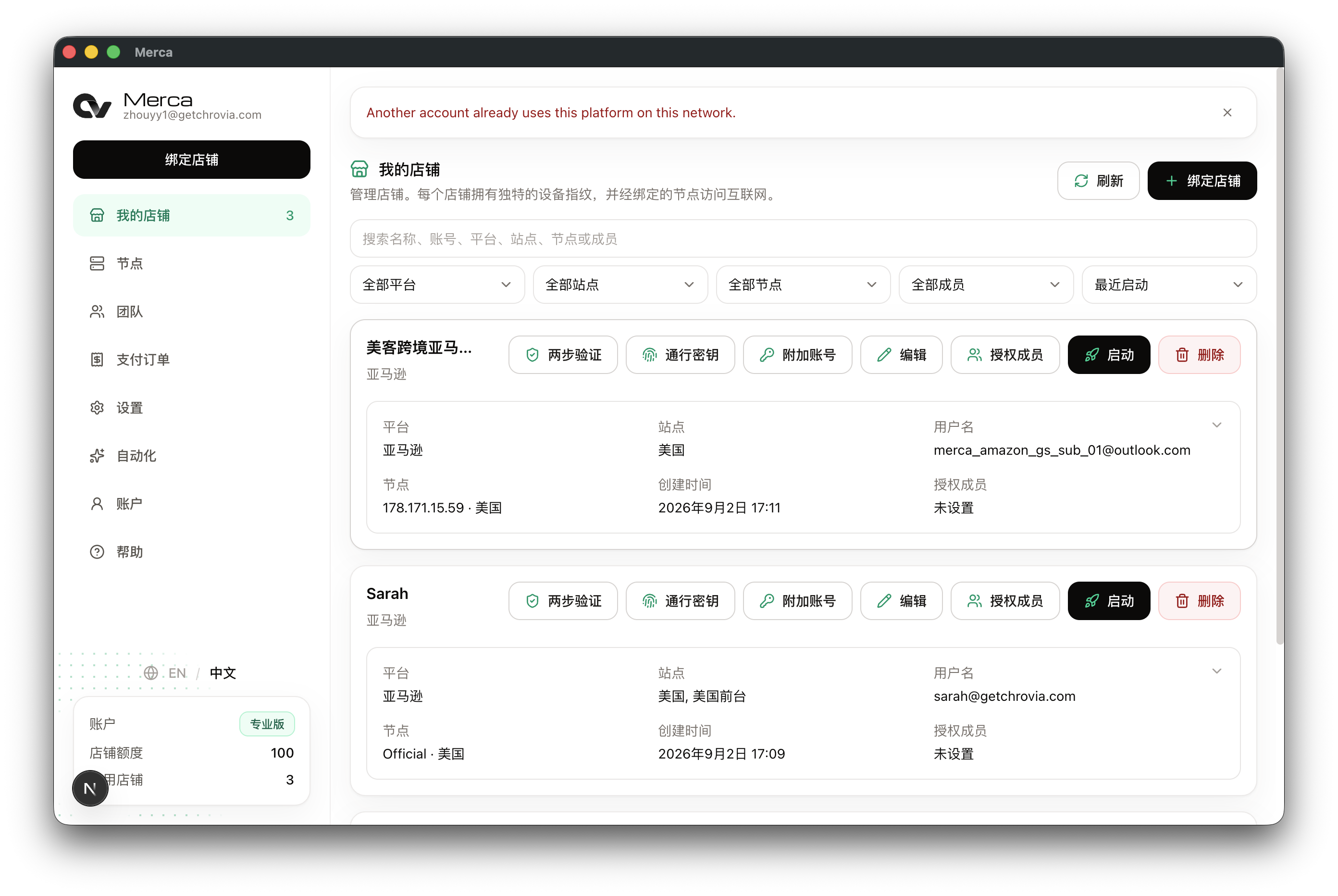
Go back to My stores and click Launch on the sub-account store. If this node already has a main account record for the same platform, Merca shows: Another account already uses this platform on this node.
This protection is expected. It prevents the same IP from accidentally signing in to an unrelated Amazon account.
Allow it in Account records
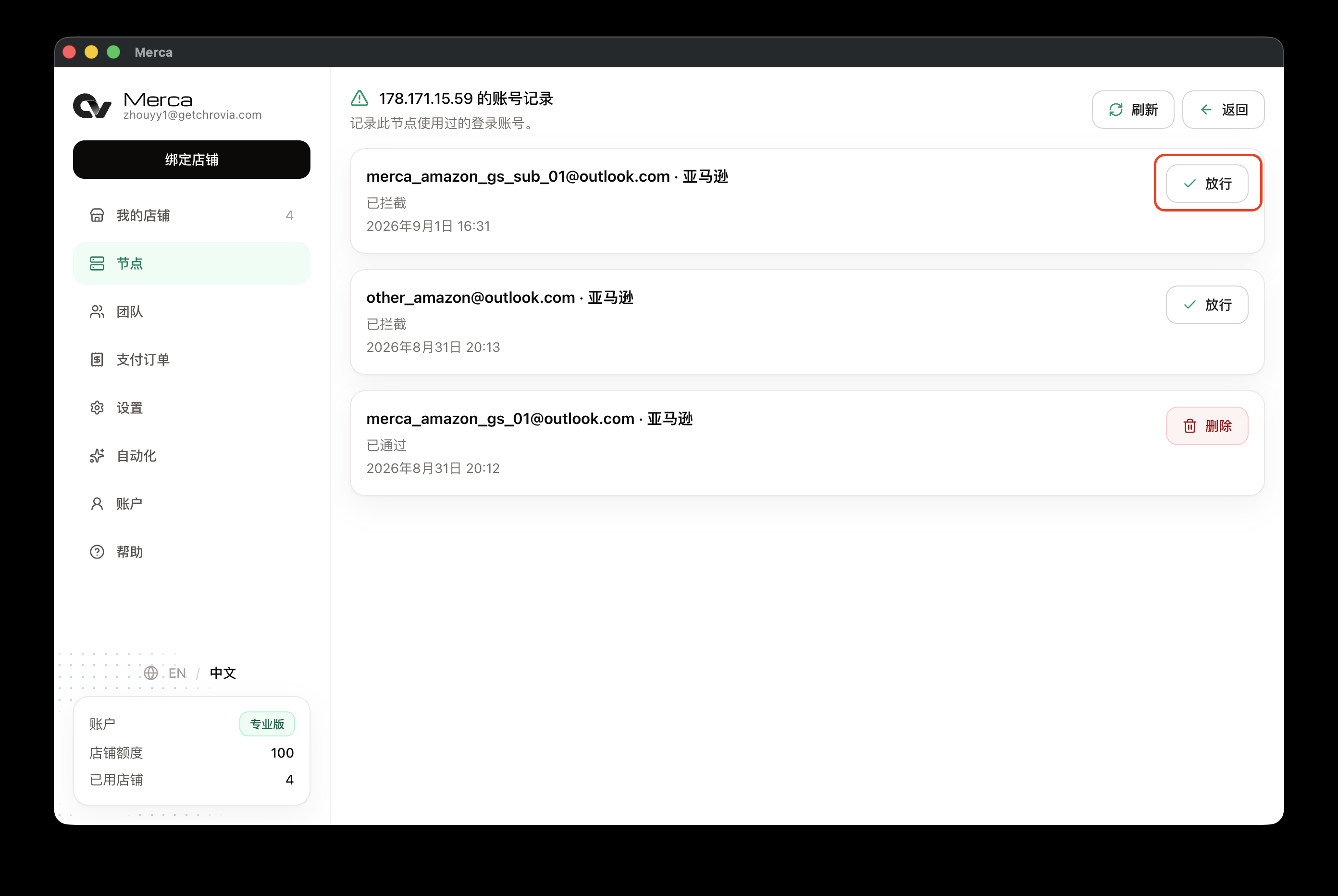
- Open Nodes from the sidebar.
- Find the node used by the sub-account and open Account records.
- Find the blocked Amazon sub-account and click Allow.
Only allow sub-accounts that you know belong to the same main account setup. Don't allow unrelated store accounts.
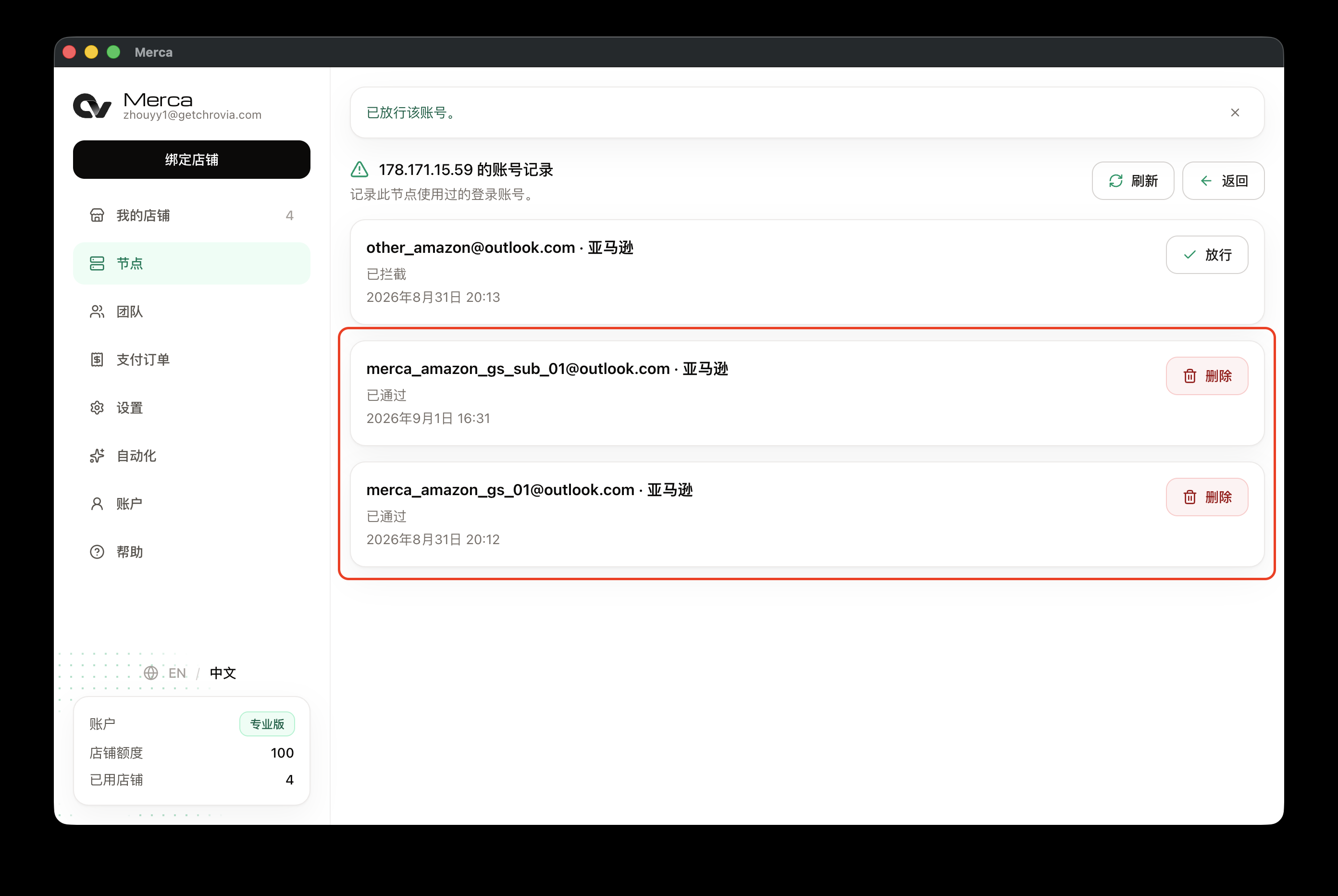
After you allow it, the sub-account shows as Allowed. The main account and sub-account can both stay allowed on the same node.
Launch again and sign in
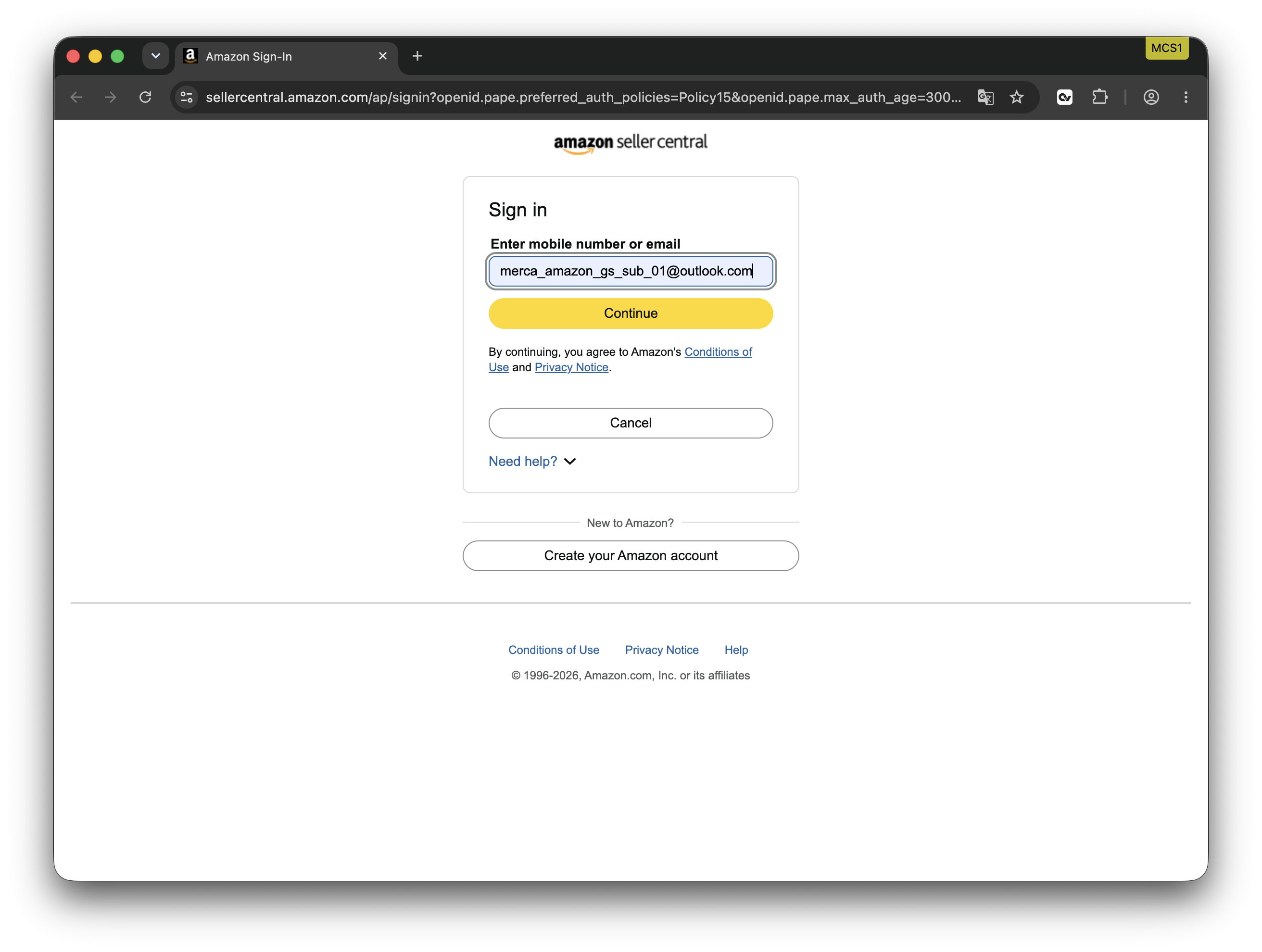
Go back to My stores and click Launch on the sub-account store again. After the store window opens, sign in to Amazon with the sub-account.
Manage it later
The allow record is stored on that node. When this Amazon sub-account keeps using the same node later, it won't be blocked by the one-login-per-platform rule again.
If you no longer want the sub-account to share this node, go back to the node's Account records and delete its record. A deleted row no longer takes part in checks. While the main account's record is still there, launching the sub-account is blocked again. The row stays as Deleted and cannot be restored.