美客(Merca)浏览器
Every store. Everything in place.
Merca is a multi-store antidetect fingerprint browser built for cross-border e-commerce sellers. Cross-border multi-store antidetect security management: run Amazon, TikTok Shop, and Shopee on one computer. Keep browser fingerprints, sign-ins, and cookies strictly isolated per store to prevent account association. Features pre-launch IP checks, mis-login prevention, credential protection without sharing passwords, and team access control.
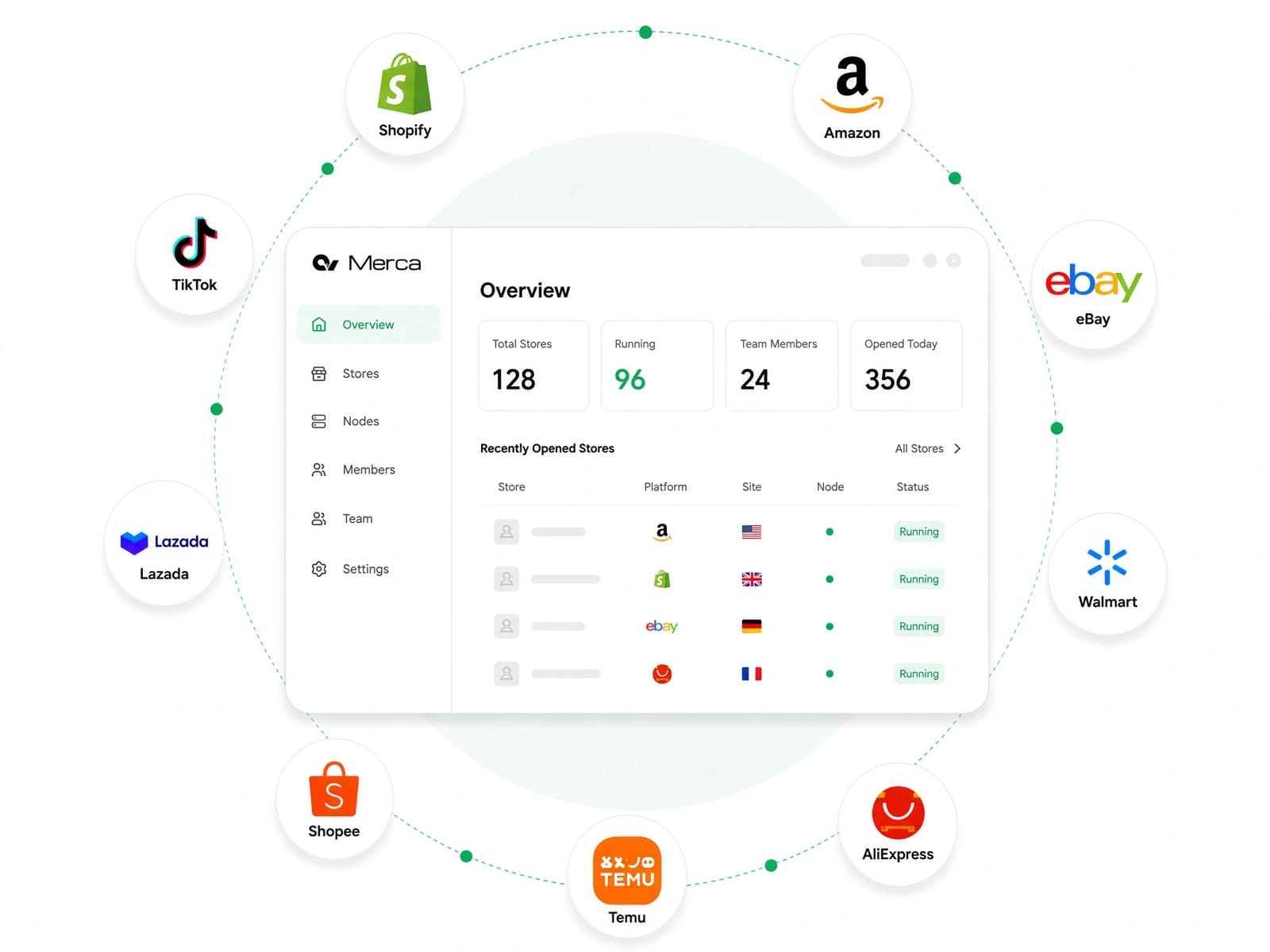
Your platforms. All in one place.
Support for 60+ e-commerce platforms, wherever you sell.
 Amazon
 TikTok Shop
 Shopee
 Temu
Temu AliExpress
 eBay
eBay Walmart
 Lazada
 SHEIN
SHEIN MercadoLibre
 Ozon
Ozon Shopify
 Etsy
Etsy Wildberries
 Coupang
 Rakuten
 Allegro
 Wayfair
 Qoo10 Japan
 Mercari
 Noon
Noon Wish
Wish Kaufland
 Cdiscount
 Bol.com
 FNAC Darty Marketplace
 Newegg
 Joom
Joom Fruugo
 OnBuy
OnBuy Jumia
Jumia Tokopedia
 Gmarket
 Daraz
Daraz ZALORA
 Hepsiburada
 Best Buy
 Home Depot
 Lowe's
 Falabella
 eMAG
eMAG Magalu (Magazine Luiza)
 Americanas
 Kogan
Kogan Takealot
 ManoMano
 ForDeal
 Voghion
 nocnoc
 N11
N11 Bonanza
 Ripley
 THE ICONIC
 Worten
 Kilimall
 Mumzworld
 Ounass
 Nykaa
Nykaa Paytm
Paytm Bob Shop
 Vente-Unique
 The Phone House
 TospinoMall
 eMall Cambodia
Meet Merca
Your everyday store operations, in one place
See how Merca brings stores, connections, team access, and safer sign-ins into your daily workflow.
STORE WORKSPACE
All your stores, organized in one workspace
View Amazon, TikTok Shop, Shopee stores, assigned nodes, and team members in one place. Launch stores and manage access in a single click.
- Manage stores across platforms
- See each store’s dedicated connection
- Assign team members by store
Know which connection each store uses
Clear roles for your whole team
Embed anti-association and login protection into every step
From isolated browser fingerprints to mis-login prevention and masked credentials, keep cross-border multi-store operations secure.
Masked password autofill for store security
Automatically fill in credentials on seller login pages. Managed centrally from the console, with options to hide plaintext passwords from staff.
- Configure and update credentials centrally
- Autofill on seller sign-in pages
- Prevent regular members from revealing passwords in store windows
Mis-login prevention: block mismatched accounts
Attempting to sign in with an unassigned account or access an unbound platform is blocked in real time, preventing cross-store association.
- Block accounts that do not match the store settings to prevent mis-entry
- Block store sign-ins on unassigned platforms to maintain environment purity
- Administrators can approve individual node account conflicts
Built-in 2FA: phone-free team sharing
Scan a two-step verification QR code and save it to the current store in one click. Administrators configure authenticators centrally and share access with teammates without passing phones around.
- Scan and save without entering a secret manually
- TOTP two-step verification across major seller platforms
- Teammates access verification codes according to their permissions
Choose your platform, then your markets
Find your store’s platform, then select the countries or regions you operate in to set up your store.
Find your platform in one place
Select the markets you serve
Security architecture engineered for multi-store sellers
Put anti-association and security at the core of every store
From isolated browser environments to mis-login prevention and role-based permissions, establish clear security boundaries for daily operations.
Complete Store Environment Isolation
Account & Node IP Verification
Credential & Asset Protection
Role-Based Access & Granular Permissions

Chromium
Built on modern Chromium, keeping pace with core updates
Combine modern Chromium’s web compatibility and familiar browsing experience with store isolation, network configuration, and account protection.
PROXY CHAIN · GLOBAL MARKETS
Connect your business to the world
Wherever you sell, combine your existing network resources for smoother cross-border connections. Proxy chains help you reach your store’s remote nodes so you can focus on your business.
- Your device
- Upstream proxy
- Store node
- Marketplace

Choose your provider
Smoother cross-border connections
A dedicated exit for each store
Explore Merca’s full multi-store security feature set
Fingerprint isolation, mis-login checks, credential protection, IP blocklists, and team access cover every detail of store operations.
Store Fingerprint Isolation
Physical Store Data Isolation
Choose your network provider
Proxy chain
Taskbar and window labels
60+ e-commerce platforms
IP Blocklist & Pollution Protection
Mis-Login & IP Conflict Prevention
Credential Protection & Autofill
Built-in TOTP 2FA
Passkey management
Team Permissions & Store Assignment
Activity Logs & Audit Trail
Automation
Choose a plan
Manage one store for free. Upgrade to Pro for more stores and team collaboration.
Free
Run one store with the full Merca workspace.
- • 1 store
- • 60+ e-commerce platforms
- • Unique device fingerprint
- • Proxy chain
- • Email support
Pro
More stores, team accounts, and automation as you grow.
- • Up to 20 stores
- • Team management
- • Automation
- • Priority support (includes remote assistance)
Merca FAQ
Learn how Merca compares with Ziniao, how it prevents account mix-ups, and how pricing, nodes, and team sign-in work.
What is the difference between Merca and Ziniao (SuperBrowser)?
Both are multi-store antidetect browsers for cross-border e-commerce sellers; the main difference is how network access is provided. Ziniao includes built-in proxy network plans billed per device, while Merca does not sell proxies: you buy proxies from a provider of your choice and add them as nodes. Merca covers nearly all of Ziniao's core features, including store fingerprint isolation, login protection, password management, TOTP verification, and team permissions. Merca also applies fewer network access restrictions, and because you buy and manage the proxies yourself, they can also be used outside the browser in other applications. For sellers who want to choose their own proxies, Merca is an alternative to Ziniao. See the Merca vs Ziniao comparison.
How does Merca prevent wrong-account sign-ins, account mix-ups, and other mistakes?
Merca builds mistake-proofing into store launches and sign-ins, so errors are stopped before they can link your stores. A store window accepts only the account and platform bound to that store; signing in with another account or to an unbound platform is blocked. Each node IP allows only one account per platform, so launching a different account on the same platform is blocked until the main account or an administrator allows it. Store names and color labels also appear on the taskbar and window to tell stores apart, and retired or abnormal IPs can be blacklisted so they are never reassigned. See how login protection works.
How many stores can I manage on the Free and Pro plans?
The Free plan covers 1 store. Pro costs $10 per month for up to 20 stores and includes team management and automation. To manage more than 20 stores, contact support to unlock them. Proxy costs are paid directly to your provider, and Merca charges no per-node fee. See how to subscribe to Pro.
Do I need to buy my own proxies, and how do I add them to Merca?
Yes. Merca does not sell proxy services or require a specific provider. Buy proxies from a network provider or run them on your own server, then add the connection details as nodes and check the exit IP. A proxy chain can also route traffic through your system proxy or a custom upstream proxy before it reaches the store node. See Add a node and the network provider directory.
Which type of node, and which country, should I buy for a store?
Choose a dedicated static ISP IP first (some providers call it a static residential IP), and consider a fixed datacenter IP when budget is limited. Choose the country by the store's registration details: cross-border stores registered in mainland China or Hong Kong should prefer Hong Kong IPs, then US IPs; avoid Hong Kong IPs for Temu stores or when you need the TikTok storefront; local stores should use a local IP. See which country to buy a node in.
Can one node be used for stores on several platforms at the same time?
Yes. One node can be used for stores on different platforms, such as Amazon, TikTok Shop, and Walmart. Login protection allows only one account per platform on the same IP; to share a node between a main account and a sub-account on the same platform, allow it separately in the node's account records. See how login protection works.
Can staff sign in to stores without knowing the passwords?
Yes. Administrators manage store credentials centrally; Merca autofills them on seller sign-in pages and can hide plaintext passwords from staff. TOTP codes are also saved per store, so authorized team members can view and use them without passing a phone around. See how password autofill works and Amazon two-step verification setup.
Which versions of macOS and Windows does Merca support?
Merca runs on Apple silicon Macs with macOS 12 or later and on 64-bit Windows 10 or later. Installers are available in the download center.
Start with your first cross-border store
Download Merca for Windows or macOS and try separate store environments and account management for free.
Featured providers
Explore third-party network providers and choose a service that fits your needs. Merca doesn’t sell network services.