

Configure store browser startup page and session restore
Configure startup behavior for Merca store browsers, including restoring previous sessions, opening the New Tab page, or following browser settings.
In the Merca desktop app, go to Settings → Launch to configure the On startup behavior for all store browsers launched on this computer. This is a local device setting with the default value set to Follow browser settings.
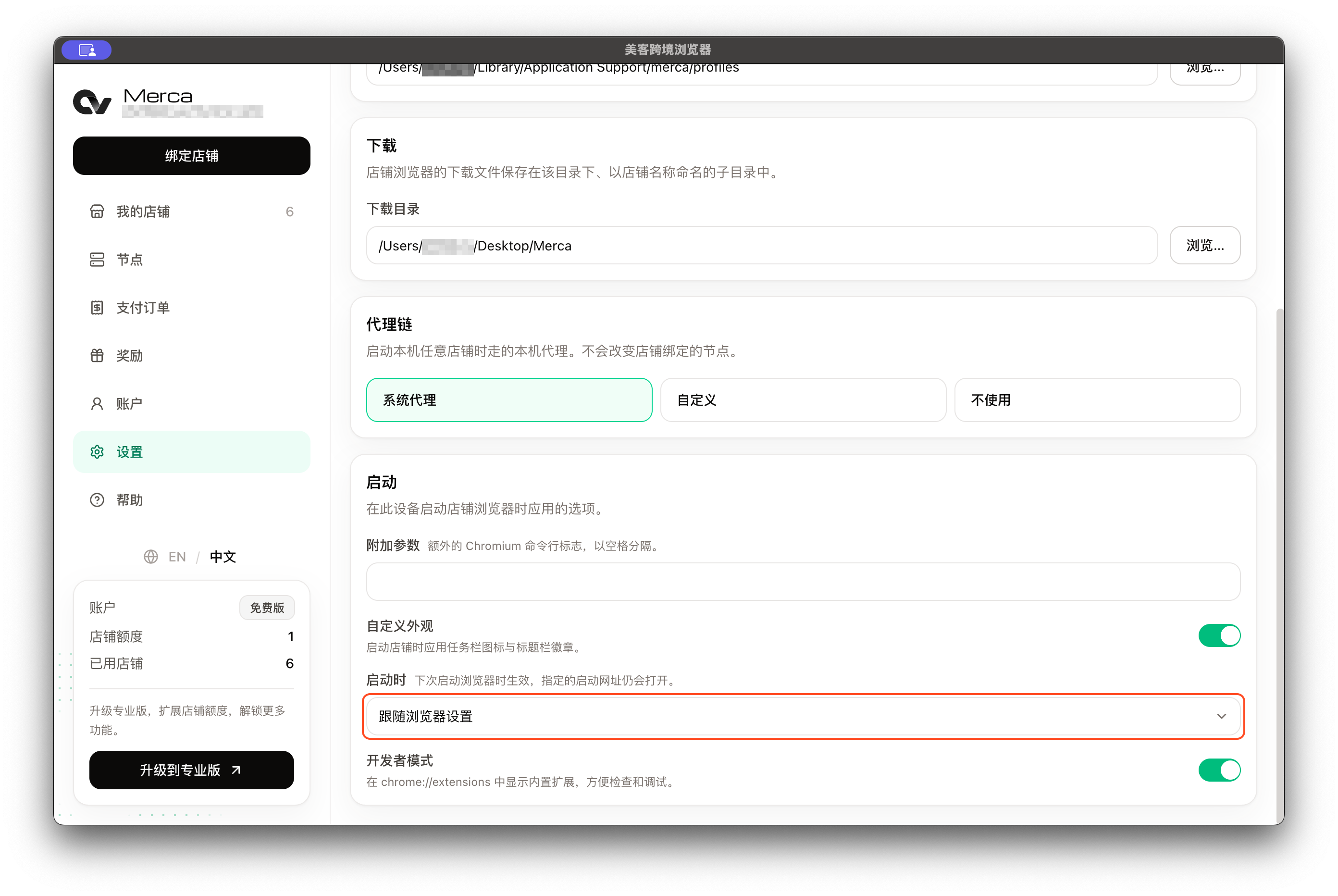
Available startup options:
| Option | Behavior |
|---|---|
| Follow browser settings | Uses Chromium's native startup preferences (which can be customized inside the store browser's own Settings menu) |
| Continue where you left off | Automatically restores the tabs and windows open when the store browser was last closed, allowing you to resume store operations quickly |
| Open the New Tab page | Opens the browser’s New Tab page on startup |
Update behavior and external links
- When changes take effect: Settings changes take effect the next time you launch a store browser and do not modify currently open store windows.
- Specified URLs: If specific URLs are passed via the client’s extra arguments, extensions, or external links (such as seller central portals), those URLs are handled as separate navigation requests. Selecting Open the New Tab page does not suppress or cancel explicitly requested URLs.