

Set Merca as default browser and configure default store
Configure Merca as your system default web browser, route external HTTP and HTTPS links to a designated store, and understand system settings and launch argument limits.
Default store
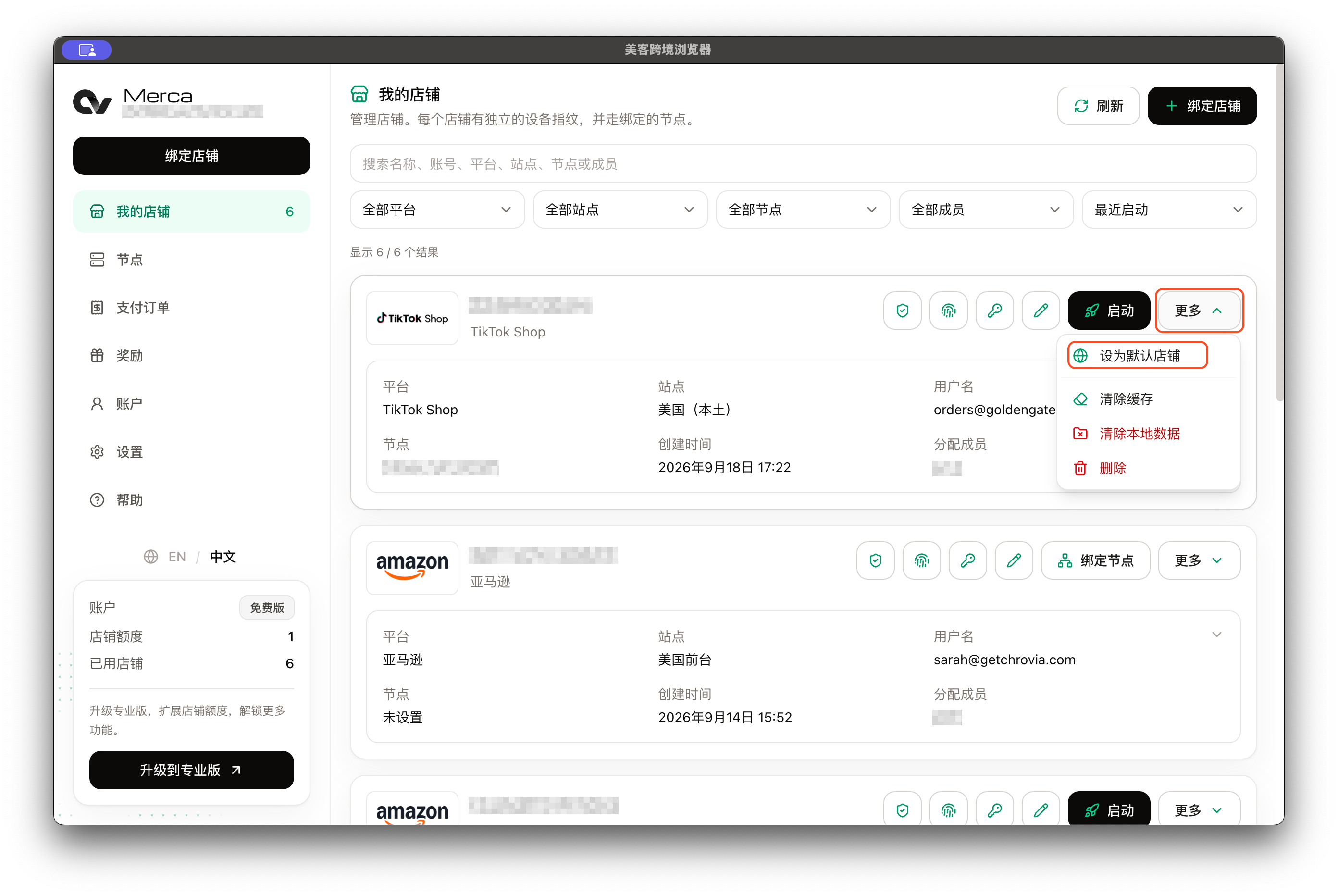
In the Merca desktop app, navigate to My stores, open the More menu next to any store, and select Set as default store. To remove the assignment, click Clear default store.
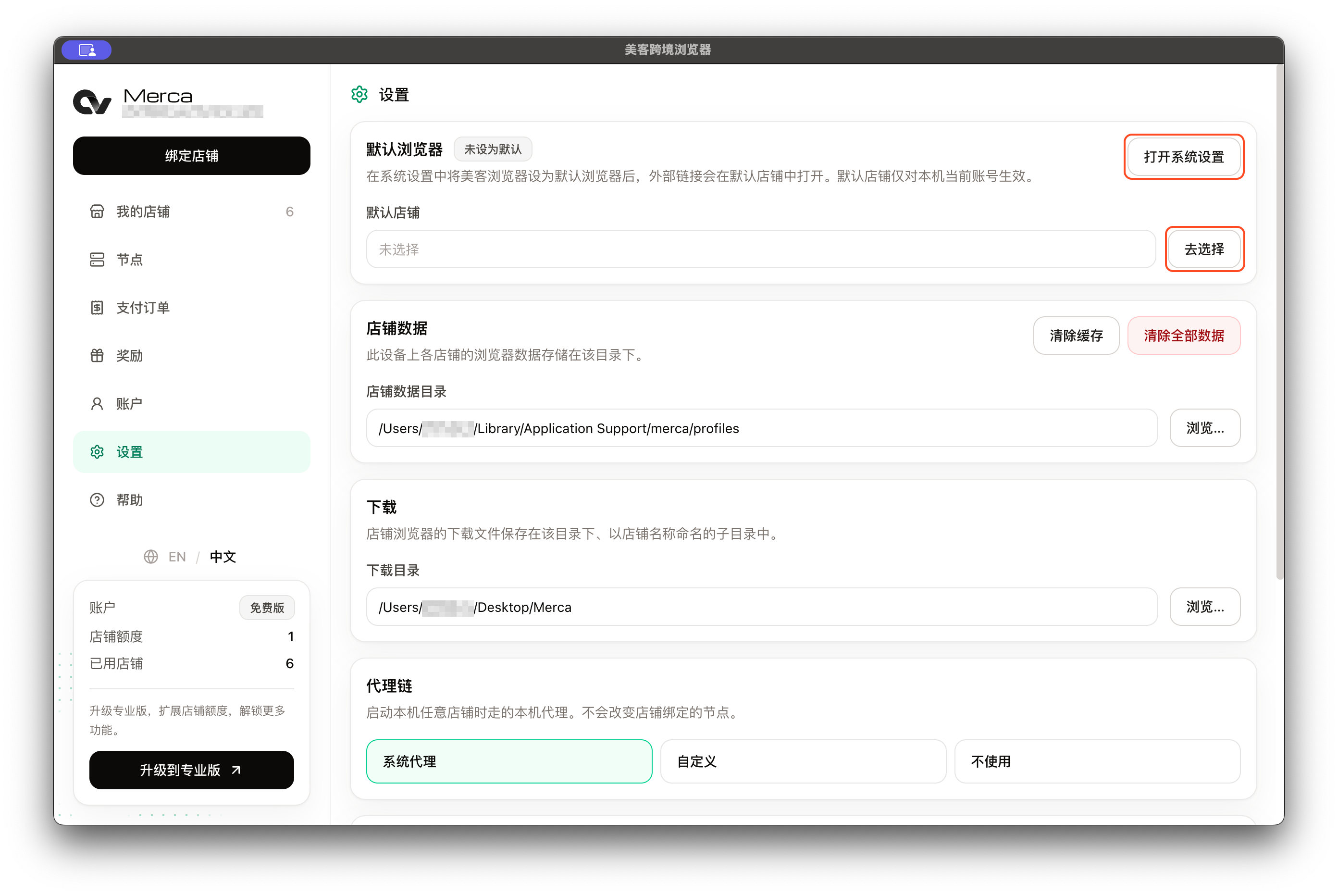
The default store selection is stored locally and applies only to the currently signed-in account on this computer.
System default browser
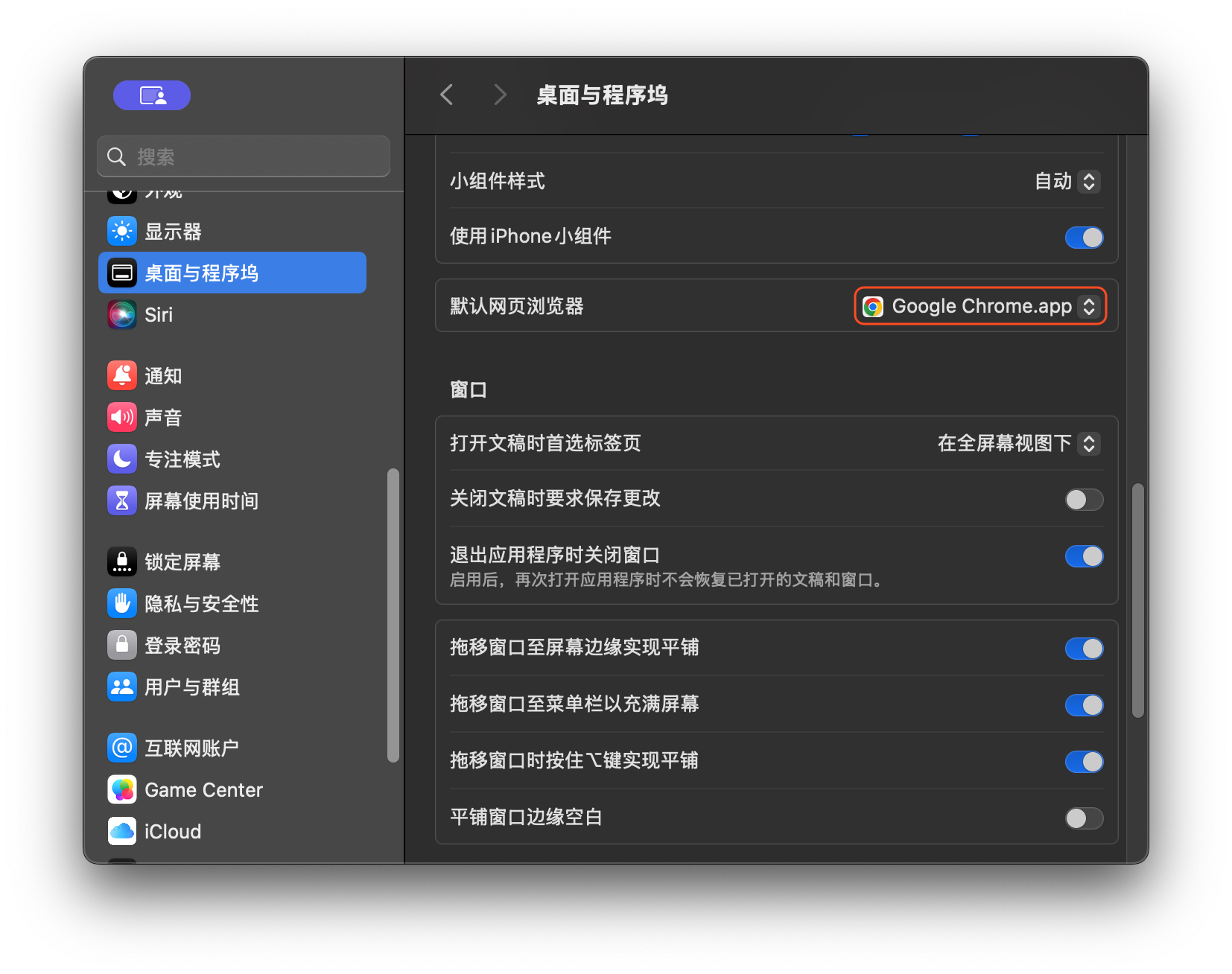
Go to Settings → Default browser in the desktop client to view your current system default browser status and the selected default store. Click Open system settings to jump directly to your operating system's default application settings:
| Operating system | Setting path |
|---|---|
| macOS 13 or later | System Settings → Desktop & Dock → Default web browser → choose Merca |
| macOS 12 (Monterey) | System Preferences → General → Default web browser → choose Merca |
| Windows 10 / 11 | Settings → Apps → Default apps → choose Merca, ensuring both HTTP and HTTPS associations point to the app |
External link handling and limitations
When Merca is set as your system default browser and a default store is configured, clicking HTTP or HTTPS links in external applications (such as email clients, chat tools, or ERP software) will automatically open them inside that store's dedicated browser window. This behavior requires the desktop client to be installed and signed in.
Keep the following requirements and edge cases in mind:
- Missing or inaccessible store: If no default store has been selected, or if the chosen store has been deleted or is inaccessible to the current account, Merca displays an error prompt. It will not arbitrarily select another store as a fallback.
- Clearing default store: Clicking Clear default store only removes the store routing; it does not change or reset the operating system's default browser setting.
- Account switching: If you switch accounts in Merca, links originating from external applications must be clicked again after signing in to the target account.
- Incompatible launch arguments: Arguments configured under Settings → Launch → Additional arguments, such as
--headless,--no-startup-window,--same-tab,--app, and--app-idcause the client to reject the external-link launch and display an error.